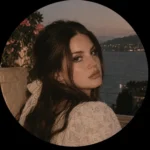

Choose a favorite Taylor Swift era, outfit, or album-inspired look to give your profile a fresh appearance.
Best Taylor Swift PFP Ideas
Taylor Swift offers plenty of visual styles for profile pictures, ranging from elegant portraits to playful expressions and stage performances. Each style gives your account a different mood.
Here are some popular ideas:
- Cute Taylor Swift PFP: Smiling portraits, soft expressions, and warm colors.
- Aesthetic Taylor Swift PFP: Vintage filters, dreamy backgrounds, and soft lighting.
- Black and White PFP: Classic monochrome portraits with a timeless appearance.
- Concert Taylor Swift PFP: Stage outfits, microphone poses, and performance shots.
- Pink Taylor Swift PFP: Pastel backgrounds, pink outfits, and feminine edits.
- Dark Taylor Swift PFP: Moody lighting, dramatic makeup, and darker tones.
- Vintage Taylor Swift PFP: Retro outfits, film effects, and nostalgic colors.
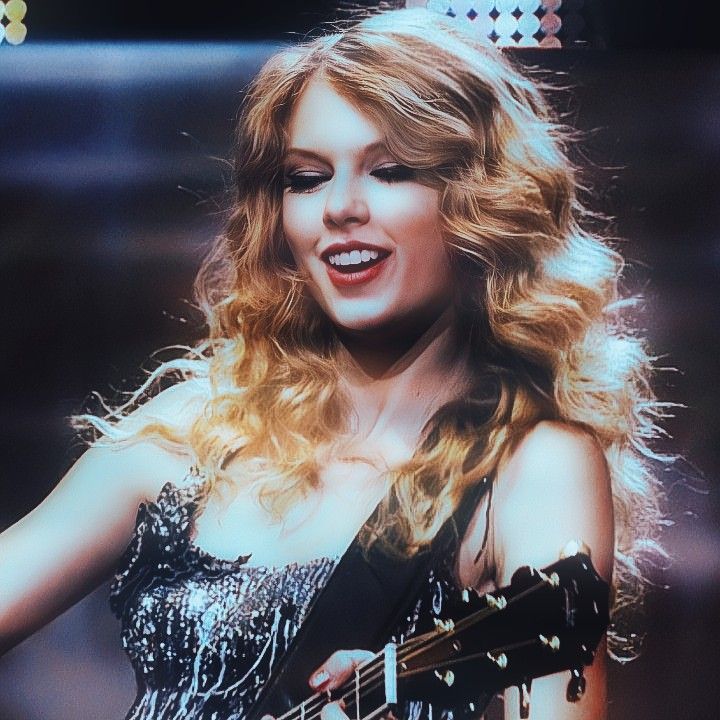
Taylor Swift PFP Inspired by Different Eras
Taylor Swift’s musical eras offer different color palettes, outfits, and visual themes. Fans can use these themes to find profile pictures that match their favorite albums.
| Era | PFP Style | Suggested Colors |
|---|---|---|
| Debut | Country-inspired portraits | Green and brown |
| Fearless | Golden and elegant photos | Gold and cream |
| Speak Now | Romantic princess aesthetic | Purple and lavender |
| Red | Classic autumn portraits | Red and black |
| 1989 | Bright, fashionable photos | Blue and white |
| Reputation | Edgy and dramatic edits | Black and grey |
| Lover | Cute and dreamy portraits | Pink and pastel |
| Folklore | Soft, natural portraits | Beige and grey |
| Evermore | Cozy autumn aesthetics | Orange and brown |
| Midnights | Glamorous nighttime portraits | Navy and blue |
| The Tortured Poets Department | Moody vintage edits | Black and white |
| The Life of a Showgirl | Glamorous show-inspired edits | Orange and gold |
Cute Taylor Swift PFP
Cute Taylor Swift PFP images suit fans who prefer a cheerful and friendly profile appearance. Smiling portraits, candid expressions, and close-up photos make attractive choices.
Try these styles:
- Close-up photos with natural smiles.
- Soft pink and peach filters.
- Pictures featuring Taylor in casual outfits.
- Pastel backgrounds with subtle decorative elements.
- Cute photo collages featuring different expressions.
A simple crop with a soft filter can give your profile a polished appearance without adding too many effects. People can find the latest Lana Del Rey PFP images.
Aesthetic Taylor Swift PFP
Aesthetic Taylor Swift PFP images work well with minimalist, vintage, and dreamy profile themes. You can select a portrait with natural lighting or use a subtle film effect to create a cohesive look.
Popular aesthetic styles:
- Soft aesthetic: Warm lighting, pastel shades, and gentle contrast.
- Vintage aesthetic: Grain effects, faded colors, and retro photography.
- Minimalist aesthetic: Clean portraits with simple backgrounds.
- Dreamy aesthetic: Soft focus, glowing highlights, and delicate colors.
- Dark aesthetic: Deep shadows, muted colors, and dramatic portraits.
Taylor Swift PFP for Instagram, TikTok, and WhatsApp
A good profile picture should look clear at a small size. A close-up portrait usually works better than a full-body photo, as facial details remain visible in a circular crop.
| Platform | Suggested Image Format | Recommended Style |
|---|---|---|
| Square (1:1) | Aesthetic close-up | |
| TikTok | Square (1:1) | Bright portrait |
| Square (1:1) | Cute or casual photo | |
| Square (1:1) | Clear portrait | |
| Discord | Square (1:1) | Creative fan edit |
| X | Square (1:1) | Minimalist portrait |
For the best display, keep Taylor’s face near the center and leave a little space around the edges. This helps prevent important details from disappearing during circular cropping.
How to Find High-Quality Taylor Swift PFP Images
Finding a clear image makes a noticeable difference to your profile. Blurry photos and excessive filters can reduce image quality, particularly on smaller screens.
Use these methods to find suitable images:
- Search for Taylor Swift album artwork and promotional photography.
- Browse Pinterest for aesthetic Taylor Swift fan edits.
- Look for high-resolution portraits with clear facial details.
- Search for concert photography and candid pictures.
- Save images in their original quality rather than taking compressed screenshots.
Tips for Selecting the Perfect Taylor Swift PFP
Use these simple tips to find a profile picture that suits your account:
- Match your theme: Select colors that complement your social media feed.
- Check image quality: Choose sharp, high-resolution photos.
- Keep the crop simple: Make sure Taylor’s face remains visible in a circular frame.
- Avoid excessive filters: Natural colors can preserve more photographic detail.
- Pick your favorite era: Album-inspired colors and outfits can give your profile a personal touch.
- Respect image rights: Use photographs and edits according to their copyright permissions.
A Taylor Swift PFP gives fans an easy way to show their music preferences through their social media profiles. From cute portraits and vintage edits to glamorous concert photography, there are plenty of styles to choose from. Pick a clear image, match it with your favorite aesthetic, and give your account a fresh look.