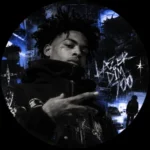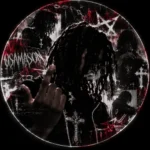

Lil Durk’s signature dreadlocks, tattoos, streetwear, and serious facial expressions make his photos popular choices for profile pictures. Some fans prefer clean portraits, while others use edited photos with glowing effects, moody backgrounds, or album-inspired graphics.
The best Lil Durk profile picture keeps his face clear, matches your preferred aesthetic, and looks sharp inside a small circular profile frame.
Best Lil Durk PFP Styles
Lil Durk profile pictures appear in several styles, each offering a different visual mood. Your preferred design depends on the platform, background colors, and overall appearance of your account.
| Lil Durk PFP Style | Visual Appearance | Best Platform |
|---|---|---|
| Black and White | Monochrome portrait with deep shadows | Instagram, Discord |
| Anime | Illustrated face with animated details | TikTok, Discord |
| Sad | Emotional expression with muted colors | TikTok, WhatsApp |
| 4K HD | Sharp portrait with detailed facial features | Instagram, Facebook |
| Dark Aesthetic | Black background with dramatic lighting | Discord, Gaming |
| Cartoon | Colorful illustrated portrait | TikTok, YouTube |
| Hooded | Hoodie, streetwear, and close-up framing | Instagram, Discord |
| Album-Inspired | Artwork based on official music releases | Music fan accounts |
Black and White Lil Durk PFP
A black-and-white Lil Durk PFP offers a clean, serious appearance without bright colors. High-contrast portraits highlight his facial tattoos, hairstyle, and expressions.
For a stronger visual result, use a photo with clear lighting around the face and darker tones near the edges. This creates depth and keeps the image attractive at smaller sizes.
Black-and-white designs work especially well with minimalist Instagram profiles, monochrome Discord themes, and accounts featuring dark wallpapers.
Lil Durk Anime PFP
Anime-style Lil Durk PFP designs turn his appearance into illustrated artwork with sharp outlines, expressive eyes, and colorful shading.
These edits may feature purple lighting, glowing eyes, anime-inspired backgrounds, or exaggerated hairstyles. Some creators use Japanese animation aesthetics while keeping his signature facial details.
Anime PFP designs suit Discord users, gaming accounts, and TikTok profiles that favor creative artwork over regular photographs.
A high-quality anime edit should preserve enough of Lil Durk’s facial features for viewers to identify him easily.
Sad Lil Durk PFP
A sad Lil Durk PFP uses emotional portraits, downward gazes, subdued lighting, or grayscale effects. Fans also pair these images with music-inspired visuals and dark backgrounds.
Lil Durk’s emotional music makes this style especially appealing to listeners who enjoy personal and introspective rap tracks.
Popular visual elements are:
-
Dark blue or gray backgrounds
-
Close-up photos with serious expressions
-
Rain or blurred-light effects
-
Black hoodies and shadowed faces
-
Minimal text and soft contrast
Avoid excessive filters that hide the eyes or facial details. A simple emotional portrait can create a stronger result than an image crowded with effects.
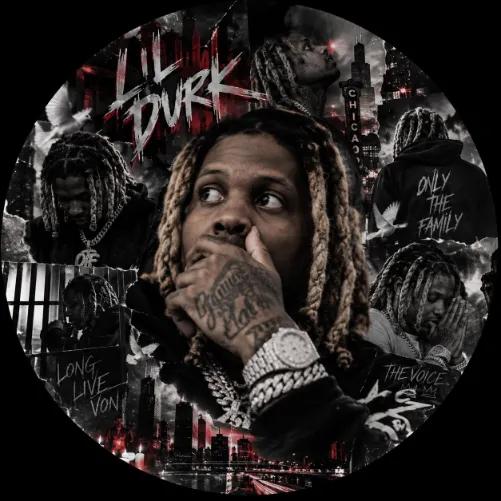
Lil Durk PFP 4K and HD
A Lil Durk PFP in HD or 4K offers sharper details and cleaner colors, especially for users who prefer realistic photography.
The source image determines its actual quality. A photo labeled 4K may still look blurry due to compression or artificial enlargement.
For a crisp profile image, start with a high-resolution photograph and crop it carefully. A square image measuring 1080 × 1080 pixels works well for preparing profile photos, although social platforms may compress uploads.
Pay attention to hair details, skin texture, lighting, and background sharpness before saving your image.
Lil Durk Cartoon PFP
A cartoon Lil Durk PFP offers a colorful alternative to regular photographs. Digital artists can recreate his hairstyle, facial tattoos, jewelry, and clothing with smooth outlines and illustrated details.
Some cartoon edits use oversized heads, bright backgrounds, or comic-book shading. Others keep realistic facial proportions with a hand-painted appearance.
For a clean cartoon profile picture, select artwork with:
-
Clear facial outlines
-
Balanced background colors
-
Sharp details around the eyes
-
A centered head-and-shoulders portrait
-
Minimal text or decorative stickers
Cartoon designs work especially well for YouTube channels, gaming profiles, and fan pages.
Lil Durk PFP for Discord
Discord displays profile photos in small circular frames, so a Lil Durk Discord PFP needs strong contrast and a clear focal point.
Dark portraits, anime edits, and black-and-white images fit many Discord profile themes. A close-up portrait usually works better than a full-body photo because the smaller frame can hide facial details.
For a sharper Discord avatar:
-
Start with a square image.
-
Place Lil Durk’s face near the center.
-
Keep important details away from the corners.
-
Use a PNG or JPG file.
-
Preview the image at a small size before uploading.
Discord also supports animated avatars for eligible Nitro users. A subtle animated effect can add movement without distracting from the portrait.
Lil Durk PFP for TikTok
A Lil Durk TikTok PFP can match music edits, rap content, fan videos, or personal accounts.
TikTok profile photos appear alongside videos and comments, making facial clarity especially useful. A portrait with a bold expression and a plain background remains easy to see.
Popular TikTok PFP ideas feature red lighting, grayscale edits, animated portraits, and photos inspired by Lil Durk’s music releases.
For a consistent appearance, match your profile image with your username, bio, and video editing style.
Lil Durk PFP for Instagram
Instagram users can create an attractive Lil Durk PFP with a sharp portrait, balanced lighting, and a clean background.
Black-and-white portraits suit minimalist feeds, while colorful edits work well with music-focused pages. Streetwear photographs also provide a casual aesthetic.
Instagram crops profile photos into circles, so leave enough space around the head and shoulders. Avoid placing text near the outer edges because the circular crop may cut it off.
A high-resolution square image gives you more flexibility during editing.
Lil Durk Album Cover PFP Ideas
Lil Durk’s album artwork offers another source of inspiration for music-themed profile pictures. His releases feature distinctive photography, typography, and visual themes.
Some notable releases are:
| Album | Release Year | PFP Inspiration |
|---|---|---|
| Remember My Name | 2015 | Early-career rap aesthetic |
| Lil Durk 2X | 2016 | Classic hip-hop artwork |
| The Voice | 2020 | Moody, music-inspired portraits |
| 7220 | 2022 | Personal and emotional themes |
| Almost Healed | 2023 | Dark, expressive visual edits |
| Deep Thoughts | 2025 | Modern album-inspired graphics |
Sony Music and AllMusic document these releases in Lil Durk’s discography.
Fans can create original edits inspired by the colors and themes of these releases. Official album covers and professional photography may carry copyright restrictions, so check usage permissions before publishing artwork commercially.
How to Create a Custom Lil Durk PFP
You can make a personalized Lil Durk profile picture using Canva, Picsart, Photoshop, or another photo editor.
-
Select a photo: Start with a clear portrait from a legitimate source.
-
Crop the image: Use a square canvas and center the face.
-
Adjust the lighting: Improve brightness, contrast, and sharpness.
-
Change the background: Try black, gray, purple, or another color that suits your profile.
-
Apply effects: Add subtle grain, grayscale, glow, or cartoon styling.
-
Check the circular crop: Keep the face and hairstyle inside the visible area.
-
Save the file: Export a high-quality PNG or JPG.
Avoid excessive sharpening or heavy filters. These can create unnatural facial textures and reduce the quality of your profile image.
Best Image Size for a Lil Durk PFP
Different platforms display profile photos at different sizes. Starting with a high-quality square image makes resizing easier.
| Platform | Suggested Editing Canvas | File Format |
|---|---|---|
| 1080 × 1080 px | JPG, PNG | |
| TikTok | 1080 × 1080 px | JPG, PNG |
| Discord | 512 × 512 px | JPG, PNG |
| 640 × 640 px | JPG, PNG | |
| YouTube | 800 × 800 px | JPG, PNG |
| 1080 × 1080 px | JPG, PNG |
These dimensions are practical editing recommendations rather than universal upload requirements. Each platform may resize or compress the original file.
Where to Find Lil Durk PFP Pictures
Fans can search several platforms for Lil Durk photos and creative edits.
-
Pinterest: Search for Lil Durk aesthetic PFP, Lil Durk anime PFP, or Lil Durk black-and-white portraits.
-
Instagram: Browse public music photography and fan-art accounts.
-
Google Images: Use image filters to locate larger photos and trace original sources.
-
YouTube: View official music video thumbnails and promotional visuals.
-
Official music pages: Browse promotional photography and album artwork.
Lil Durk’s official social media accounts offer useful references for his appearance and music-related visuals.
Check the creator’s permissions before reusing an image. Public availability does not automatically grant permission for commercial use.
Tips for Selecting the Best Lil Durk Profile Picture
A good PFP needs more than attractive colors. The photo should remain clear across different screen sizes and complement your account’s visual style.
Consider these details:
-
Facial visibility: Use portraits with clear eyes and facial features.
-
Background: Avoid busy scenes that distract from the subject.
-
Lighting: Choose balanced contrast rather than extremely dark filters.
-
Cropping: Keep the head centered inside the circular frame.
-
Resolution: Avoid blurry screenshots and heavily compressed photos.
-
Personal style: Match the design with your preferred social media aesthetic.
For a minimalist profile, a grayscale portrait with a plain background works well. For a gaming account, anime artwork or a dark neon edit can offer a more distinctive appearance.
What does Lil Durk PFP mean?
Lil Durk PFP means a profile picture featuring American rapper Lil Durk. Fans use his photographs, portraits, and artistic edits on social media accounts.
Where can I find a Lil Durk PFP in HD?
Pinterest, licensed photo libraries, official music pages, and public promotional photography can provide high-quality visual sources. Check the original image resolution before saving.
Can I use a Lil Durk anime PFP on Discord?
Yes. Discord supports static profile pictures, including anime-style artwork. Make sure the image follows Discord’s rules and respects applicable rights.
Which Lil Durk PFP style works best for Instagram?
Black-and-white portraits, clean close-ups, and high-resolution streetwear photos work well for Instagram because they remain clear inside circular profile frames.
Can I make my own Lil Durk PFP?
Yes. You can edit a permitted photograph using Canva, Picsart, or Photoshop. Adjust the background, crop, contrast, and colors to create a personalized design.
Are Lil Durk PFP images free to use?
Some creators permit personal reuse, while others retain copyright over their photographs or artwork. Review the original source and license before using an image, particularly for commercial purposes.
Also check out our Young Dolph PFP collection.